Compare desk phones
Plan your deployment
Find your next desk phone
Search, shortlist two to four phones, then compare specifications and source evidence.
Compare essentials or all specifications. Unknown values stay visible when showing differences.
How to read this comparison
SIP accounts are registrations, not simultaneous calls. Programmable keys count assignable positions across pages, not just physical buttons. Conference capacity and encryption depend on firmware and configuration.
No is an explicit negative; Unknown means unresolved evidence; Not applicable means the field does not apply. An optional adapter is an extra accessory. Open Evidence for model scope, source sections and qualifications.
Differences keep your selected requirements and unknowns visible. Equal headline values can remain when their evidence notes differ.
Your shortlist has changed. Use Compare selected to update this table before sharing or printing. Go to shortlist
All recorded values in this view are the same. Turn off Show differences only or choose All specifications to see more.
Swipe or scroll inside the table to see every product. Keyboard users can focus the table and use arrow keys.
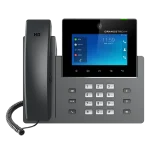
| Specification | Grandstream GXV3350 25 of 37 specifications recorded Lifecycle: Unknown Record reviewed: 2026-10-14 Selected requirements: 2 met · 0 not met · 0 unknown | Avaya J189 17 of 37 specifications recorded Lifecycle: Unknown Record reviewed: 2026-10-12 Selected requirements: 0 met · 2 not met · 0 unknown |
|---|---|---|
| Calling | ||
| SIP accounts / linesDifference | 16Grandstream GXV3350 product page; exact model feature/specification section.EvidenceManufacturer specification Grandstream GXV3350 product pageSection: Features and Specs — Lines/SIP Accounts Evidence reviewed: 2026-09-12 Applies to: Grandstream GXV3350 product page; exact model feature/specification section. | Unknown |
| Programmable keysDifference | UnknownEvidenceManufacturer specification Grandstream GXV3350/GXV3370/GXV3380/GXV3450/GXV3470/GXV3480 Official Datasheets and User GuidePage: 2 Section: PDF page 2, Feature Keys and Telephony Features: 11 function keys and 3 dedicated Android keys are listed separately; a programmable-key feature is named without a numeric programmable-key count. Evidence reviewed: 2026-10-16 Applies to: Exact GXV3350 datasheet. Page 2 lists 11 function keys, 3 dedicated Android keys and a programmable-key feature, but does not state how many keys are programmable. Firmware applicability is unstated. | 9696 accessible J189 SIP line-button positions through on-phone paging, excluding optional external expansion modules; 10 primary and 6 secondary physical LED buttons are visible at once.EvidenceManufacturer page Using Avaya J189 SIP IP Phone in Avaya Aura, April 2026Section: PDF page 15, J189 SIP overview: 96 line buttons accessible by scrolling or paging; ten primary and six secondary physical LED buttons Evidence reviewed: 2026-10-12 Applies to: 96 accessible J189 SIP line-button positions through on-phone paging, excluding optional external expansion modules; 10 primary and 6 secondary physical LED buttons are visible at once. |
| Local conference participantsDifference | 6Grandstream GXV3350 product page; exact model feature/specification section.EvidenceManufacturer specification Grandstream GXV3350 product pageSection: Features and Specs — Conferencing Evidence reviewed: 2026-09-12 Applies to: Grandstream GXV3350 product page; exact model feature/specification section. | Unknown |
| Call-control requirementsDifference | Unknown | Unknown |
| Display | ||
| Display size | 5 inExact Grandstream GXV3350 base model, as named in its User Guide; no device firmware scope stated.EvidenceManufacturer specification GXV3350 - User GuideSection: GXV3350 User Guide > Welcome: 5-inch screen Evidence reviewed: 2026-10-15 Applies to: Exact Grandstream GXV3350 base model, as named in its User Guide; no device firmware scope stated. | 5 inEvidenceManufacturer specification Avaya J100 Series hardware specificationsSection: Table 2, J189 column, Display row; primary display Evidence reviewed: 2026-09-29 |
| Display resolutionDifference | 1280 x 720Exact Grandstream GXV3350 base model, as named in its User Guide; no device firmware scope stated.EvidenceManufacturer specification GXV3350 - User GuideSection: GXV3350 User Guide > Welcome: 1280x720 screen Evidence reviewed: 2026-10-15 Applies to: Exact Grandstream GXV3350 base model, as named in its User Guide; no device firmware scope stated. | 800 x 480EvidenceManufacturer specification Avaya J100 Series hardware specificationsSection: Table 2, J189 column, Display row; primary display Evidence reviewed: 2026-09-29 |
| Colour display | YesGrandstream GXV3350 product page; exact model feature/specification section.EvidenceManufacturer specification Grandstream GXV3350 product pageSection: Features — capacitive colour LCD Evidence reviewed: 2026-09-12 Applies to: Grandstream GXV3350 product page; exact model feature/specification section. | YesEvidenceManufacturer specification Avaya J100 Series hardware specificationsSection: Table 2, J189 column, Display type row Evidence reviewed: 2026-09-29 |
| TouchscreenDifference | YesExact Grandstream GXV3350 base model, as named in its User Guide; no device firmware scope stated.EvidenceManufacturer specification GXV3350 - User GuideSection: GXV3350 User Guide > Welcome: capacitive touch screen Evidence reviewed: 2026-10-15 Applies to: Exact Grandstream GXV3350 base model, as named in its User Guide; no device firmware scope stated. | Unknown |
| Wallpaper upload supportedDifference | YesExact Grandstream GXV3350; page 2 names it among models configured by the GUI Customization Web Tool. The guide shows image import and the customization-file installation route. Firmware applicability is not stated. Image limits are undocumented.EvidenceManufacturer specification GXV33XX/GXV34XX/GAC2570 GUI Customization Web Tool GuidePage: 2 Section: Page 2 > Introduction names GXV3350 as supported by the tool; page 5 > Background Settings says the admin can import a screen image with Upload under Select image. Evidence reviewed: 2026-10-16 Applies to: Exact Grandstream GXV3350; page 2 names it among models configured by the GUI Customization Web Tool. The guide shows image import and the customization-file installation route. Firmware applicability is not stated. Image limits are undocumented. | Unknown |
| Wallpaper image dimensionsDifference | Unknown | Unknown |
| Wallpaper image limitDifference | Unknown | Unknown |
| Wallpaper image formatsDifference | Unknown | Unknown |
| Wallpaper colour modeDifference | Unknown | Unknown |
| Wallpaper file size limitDifference | Unknown | Unknown |
| Wallpaper file size limitDifference | Unknown | Unknown |
| Wallpaper filename rulesDifference | Unknown | Unknown |
| Wallpaper upload methodDifference | GUI Customization Web Tool: Background Settings > Select image > Upload to import the image., Export the GXV3XXXcust customization file and place it on an HTTP, HTTPS or TFTP server., Phone Web GUI: Maintenance > Upgrade > Config File > CUST File; set Download mode and GUI Customization File URL, then reboot.Exact Grandstream GXV3350; page 2 names it among models configured by the GUI Customization Web Tool. The guide shows image import and the customization-file installation route. Firmware applicability is not stated. Image limits are undocumented.EvidenceManufacturer specification GXV33XX/GXV34XX/GAC2570 GUI Customization Web Tool GuidePage: 5 Section: Page 5 > Background Settings; page 3 > Steps below explains how to generate and upload the customization file to the GXV3xXX. Review note: Firmware applicability is not stated. Evidence reviewed: 2026-10-16 Applies to: Exact Grandstream GXV3350; page 2 names it among models configured by the GUI Customization Web Tool. The guide shows image import and the customization-file installation route. Firmware applicability is not stated. Image limits are undocumented. | Unknown |
| Wallpaper upload instructionsDifference | https://documentation.grandstream.com/wp-content/uploads/2023/06/GUI-Customization-Web-Tool-Guide-1.pdfExact Grandstream GXV3350; page 2 names it among models configured by the GUI Customization Web Tool. The guide shows image import and the customization-file installation route. Firmware applicability is not stated. Image limits are undocumented.EvidenceManufacturer specification GXV33XX/GXV34XX/GAC2570 GUI Customization Web Tool GuidePage: 2-5 Section: Pages 2-5: supported model list, image import, customization-file generation and installation. Evidence reviewed: 2026-10-16 Applies to: Exact Grandstream GXV3350; page 2 names it among models configured by the GUI Customization Web Tool. The guide shows image import and the customization-file installation route. Firmware applicability is not stated. Image limits are undocumented. | Unknown |
| Connectivity | ||
| Ethernet | GigabitGrandstream GXV3350 product page; exact model feature/specification section.EvidenceManufacturer specification Grandstream GXV3350 product pageSection: Features — dual-switched 10/100/1000Mbps ports Evidence reviewed: 2026-09-12 Applies to: Grandstream GXV3350 product page; exact model feature/specification section. | GigabitEvidenceManufacturer specification Avaya J100 Series hardware specificationsSection: Table 2, J189 column, Ethernet switch row: dual 10/100/1000 Evidence reviewed: 2026-09-29 |
| Power over Ethernet | YesGrandstream GXV3350 product page; exact model feature/specification section.EvidenceManufacturer specification Grandstream GXV3350 product pageSection: Features — built-in PoE/PoE+ Evidence reviewed: 2026-09-12 Applies to: Grandstream GXV3350 product page; exact model feature/specification section. | YesEvidenceManufacturer specification Avaya J100 Series hardware specificationsSection: Table 2, J189 column, PoE row Evidence reviewed: 2026-09-29 |
| Wi-FiDifferenceRequired: Built in | Meets requirementBuilt inExact Grandstream GXV3350 base model, as named in its User Guide; no device firmware scope stated.EvidenceManufacturer specification GXV3350 - User GuideSection: GXV3350 User Guide > Welcome: integrated Wi-Fi Evidence reviewed: 2026-10-15 Applies to: Exact Grandstream GXV3350 base model, as named in its User Guide; no device firmware scope stated. | Does not meet requirementOptional adapterEvidenceManufacturer specification Avaya J100 Series hardware specificationsSection: Table 2, J189 column, Wi-Fi support row: optional module Evidence reviewed: 2026-09-29 |
| Wi-Fi standardDifference | 802.11a/b/g/nExact Grandstream GXV3350 base model, as named in its User Guide; no device firmware scope stated.EvidenceManufacturer specification GXV3350 - User GuideSection: GXV3350 User Guide > Feature Highlights: dual-band Wi-Fi (802.11a/b/g/n) Evidence reviewed: 2026-10-15 Applies to: Exact Grandstream GXV3350 base model, as named in its User Guide; no device firmware scope stated. | Unknown |
| BluetoothDifferenceRequired: Built in | Meets requirementBuilt inExact Grandstream GXV3350 base model, as named in its User Guide; no device firmware scope stated.EvidenceManufacturer specification GXV3350 - User GuideSection: GXV3350 User Guide > Welcome: integrated Bluetooth support Evidence reviewed: 2026-10-15 Applies to: Exact Grandstream GXV3350 base model, as named in its User Guide; no device firmware scope stated. | Does not meet requirementOptional adapterEvidenceManufacturer specification Avaya J100 Series hardware specificationsSection: Table 2, J189 column, Bluetooth support row: optional module Evidence reviewed: 2026-09-29 |
| Bluetooth versionDifference | 4.2EvidenceManufacturer specification Grandstream GXV3350/GXV3370/GXV3380/GXV3450/GXV3470/GXV3480 Official Datasheets and User GuideSection: PDF page 2: Bluetooth Yes, integrated Bluetooth 4.2 + EDR Evidence reviewed: 2026-09-12 | Unknown |
| USB portsDifference | 1Exact Grandstream GXV3350 datasheet lists one USB port; no USB connector version is stated.EvidenceManufacturer specification Grandstream GXV3350/GXV3370/GXV3380/GXV3450/GXV3470/GXV3480 Official Datasheets and User GuidePage: 2 Section: Technical Specifications > Auxiliary Ports > USB port Evidence reviewed: 2026-10-14 Applies to: Exact Grandstream GXV3350 datasheet lists one USB port; no USB connector version is stated. | 2Two physical J189 USB ports, one Type-A and one Type-C. The previous catalogue count of one came from a yes/no support table and was not a port count. USB function varies by firmware and connection.EvidenceManufacturer page Using Avaya J189 SIP IP Phone in Avaya Aura, April 2026Section: PDF page 15 physical specifications, Type-A and Type-C USB support; 2020 Avaya overview PDF page 26 explicitly counts two USB ports Evidence reviewed: 2026-10-12 Applies to: Two physical J189 USB ports, one Type-A and one Type-C. The previous catalogue count of one came from a yes/no support table and was not a port count. USB function varies by firmware and connection. |
| Connection and included adapterDifference | Unknown | Unknown |
| Accessories | ||
| Headset interfacesDifference | EHS, RJ9EvidenceManufacturer specification Grandstream GXV3350/GXV3370/GXV3380/GXV3450/GXV3470/GXV3480 Official Datasheets and User GuideSection: PDF page 2: Auxiliary Ports RJ9 headset jack (allowing EHS with Plantronics headsets), extension module port, USB port, Review note: Port and EHS mode only; exact headset, cable, and call controls require separate compatibility evidence. Evidence reviewed: 2026-09-12 | Wired headsetEvidenceManufacturer specification Avaya J100 Series hardware specificationsSection: Table 2 > J189 column > Wired headset > Yes Review note: The table confirms wired headset support but does not state the connector type. Evidence reviewed: 2026-10-07 |
| Expansion modulesDifference | Up to 4 GBX20 EXT modulesExact Grandstream GXV3350. Datasheet page 2 states support for up to four GBX20 EXT modules; each module has its own specifications. Firmware applicability is not stated.EvidenceManufacturer specification Grandstream GXV3350/GXV3370/GXV3380/GXV3450/GXV3470/GXV3480 Official Datasheets and User GuideSection: Technical Specifications > Extension Module: Yes, can power up to 4 GBX20 EXT modules; module power consumption is listed in the same row. Review note: The datasheet does not state this feature's firmware applicability. Evidence reviewed: 2026-10-16 Applies to: Exact Grandstream GXV3350. Datasheet page 2 states support for up to four GBX20 EXT modules; each module has its own specifications. Firmware applicability is not stated. | Up to 2 Avaya J100 expansion modulesEvidenceManufacturer specification Avaya J100 Series hardware specificationsSection: Table 2 > J189 column > Expansion module capable Evidence reviewed: 2026-10-06 |
| Physical | ||
| Wall mountable | YesExact Grandstream GXV3350 base model, as named in its User Guide; no device firmware scope stated.EvidenceManufacturer specification GXV3350 - User GuideSection: GXV3350 User Guide > Using the Slots for Wall Mounting Evidence reviewed: 2026-10-15 Applies to: Exact Grandstream GXV3350 base model, as named in its User Guide; no device firmware scope stated. | YesEvidenceManufacturer specification Avaya J100 Series hardware specificationsSection: Table 2, J189 column, Wall mountable row Evidence reviewed: 2026-09-29 |
| Wearing styleDifference | Unknown | Unknown |
| Audio | ||
| HD voice | YesGrandstream GXV3350 product page; exact model feature/specification section.EvidenceManufacturer specification Grandstream GXV3350 product pageSection: Features — HD speakerphone Evidence reviewed: 2026-09-12 Applies to: Grandstream GXV3350 product page; exact model feature/specification section. | YesEvidenceManufacturer specification Avaya J189 IP Phone overview, SIP R4.1.xSection: Avaya J189 IP Phone overview > Physical specifications > Wideband audio in handset and headset SuperWideBand Full Duplex Handsfree; SIP R4.1.x Evidence reviewed: 2026-10-09 |
| Full-duplex speakerphone | YesExact Grandstream GXV3350 base model, as named in its User Guide; no device firmware scope stated.EvidenceManufacturer specification GXV3350 - User GuideSection: GXV3350 User Guide > Feature Highlights: full-duplex hands-free speakerphone Evidence reviewed: 2026-10-15 Applies to: Exact Grandstream GXV3350 base model, as named in its User Guide; no device firmware scope stated. | YesEvidenceManufacturer specification Avaya J189 IP Phone overview, SIP R4.1.xSection: Avaya J189 IP Phone overview > Physical specifications > Full duplex speakerphone; SIP R4.1.x Evidence reviewed: 2026-10-09 |
| Audio codecsDifference | Opus, G.722, G.711 A-law, G.711 mu-law, G.729A/B, G.726-32, iLBCEvidenceManufacturer specification Grandstream GXV3350/GXV3370/GXV3380/GXV3450/GXV3470/GXV3480 Official Datasheets and User GuideSection: PDF page 2 > Voice Codecs and Capabilities Evidence reviewed: 2026-10-08 | G.711 A-law, G.711 mu-law, G.729, G.729a, G.729ab, G.726, G.722, Opus, Opus SuperwidebandEvidenceManufacturer specification Avaya J100 Series SIP IP Phones Overview and Specifications R4.1.x: Supported codecsSection: Avaya J100 Series SIP IP Phones Overview and Specifications R4.1.x > Supported codecs > J189 exact column Evidence reviewed: 2026-10-08 |
| Noise cancellationDifference | Unknown | Unknown |
| Software | ||
| Operating systemDifference | Android 7.0Exact Grandstream GXV3350 base model, as named in its User Guide; no device firmware scope stated.EvidenceManufacturer specification GXV3350 - User GuideSection: GXV3350 User Guide > Welcome: runs Android 7.0 Evidence reviewed: 2026-10-15 Applies to: Exact Grandstream GXV3350 base model, as named in its User Guide; no device firmware scope stated. | Unknown |
| Security | ||
| TLS signallingDifference | YesEvidenceManufacturer specification Grandstream GXV3350/GXV3370/GXV3380/GXV3450/GXV3470/GXV3480 Official Datasheets and User GuideSection: PDF page 2: DHCP, PPPoE, SSH, TFTP, NTP, STUN, SIMPLE, LLDP-MED, LDAP, TR-069, 802.1x, TLS, SRTP, IPv6, Evidence reviewed: 2026-09-12 | YesJ189 with J100 SIP software; Avaya's overview lists TLS/SRTP capability. The cited interoperability note names J189 SIP R4.0.6.1 and later for related encrypted-media settings. Availability depends on compatible firmware and system provisioning; H.323 is outside this claim.EvidenceManufacturer page Introducing the Avaya IX J100 IP Phones, August 2020Section: 2020 overview PDF pages 26-27, exact J189 functionality; Avaya interoperability note PDF page 21, J189 SIP R4.0.6.1 and later SRTP context Evidence reviewed: 2026-10-12 Applies to: J189 with J100 SIP software; Avaya's overview lists TLS/SRTP capability. The cited interoperability note names J189 SIP R4.0.6.1 and later for related encrypted-media settings. Availability depends on compatible firmware and system provisioning; H.323 is outside this claim. |
| SRTP audio/media encryptionDifference | YesEvidenceManufacturer specification Grandstream GXV3350/GXV3370/GXV3380/GXV3450/GXV3470/GXV3480 Official Datasheets and User GuideSection: PDF page 2: DHCP, PPPoE, SSH, TFTP, NTP, STUN, SIMPLE, LLDP-MED, LDAP, TR-069, 802.1x, TLS, SRTP, IPv6, Evidence reviewed: 2026-09-12 | YesJ189 with J100 SIP software; Avaya's overview lists TLS/SRTP capability. The cited interoperability note names J189 SIP R4.0.6.1 and later for related encrypted-media settings. Availability depends on compatible firmware and system provisioning; H.323 is outside this claim.EvidenceManufacturer page Introducing the Avaya IX J100 IP Phones, August 2020Section: 2020 overview PDF pages 26-27, exact J189 functionality; Avaya interoperability note PDF page 21, J189 SIP R4.0.6.1 and later SRTP context Evidence reviewed: 2026-10-12 Applies to: J189 with J100 SIP software; Avaya's overview lists TLS/SRTP capability. The cited interoperability note names J189 SIP R4.0.6.1 and later for related encrypted-media settings. Availability depends on compatible firmware and system provisioning; H.323 is outside this claim. |

Compatible phone systems
The indicator shows whether a compatible configuration path is documented, or whether the result still needs verification. A not-listed result does not mean technically incompatible. It does not replace checking the provider firmware branch, tenant, network and feature requirements.
3CX V20
Listed firmware applies to 3CX V20. Cloud or remote phones need a router phone or SBC. Recheck the current provider release before deployment.
Not reviewed
Not reviewed
Zoom Phone
Yealink phones require Zoom-specific firmware. A certification entry does not confirm every feature or regional deployment.
Not reviewed
Not reviewed
Microsoft Teams SIP Gateway
This is SIP Gateway compatibility, not native Teams-phone certification. Use the gateway provisioning path and approved firmware; confirm tenant licensing, policies and network requirements.
Not reviewed
Not reviewed
Specifications may vary by region, hardware revision, firmware, or optional accessory. A review date or recorded field is not a compatibility guarantee. Follow each product’s official sources before purchasing or deploying.
62 phones found
Unknown means not yet verified, not No.
Before choosing a phone
Treat this comparison as a research aid, not a compatibility or purchasing guarantee. Confirm regional variants, firmware support, platform certification, power requirements, accessories, lifecycle status, and current availability with the manufacturer and your phone-system provider.